WHAM
Productivity
OS
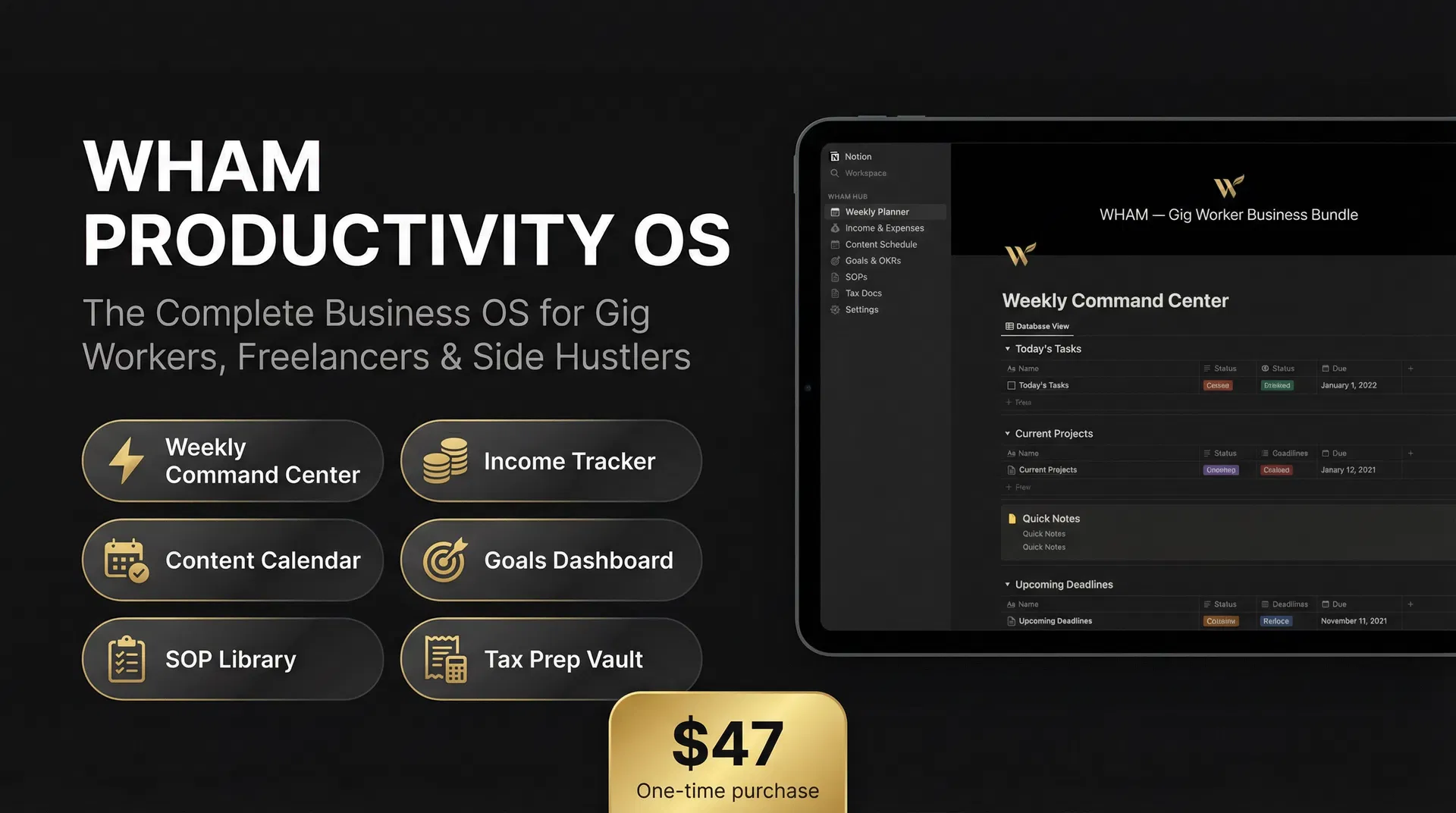
The complete Notion-based business command center for gig workers, freelancers, and side hustlers. 6 interconnected systems. Built to run your business — not just organize it.
You're running a business out of your head
No system for income
You know you made money this month — but you can't tell which stream is actually worth your time.
Tax season is a nightmare
You're scrambling to find receipts, guessing at deductions, and overpaying because you didn't track anything.
Goals get forgotten
You set a goal in January. By March, you can't even remember what it was. Nothing is written down.
The WHAM Productivity OS fixes all of this. One workspace. Six systems. Everything connected.
6 Pillars. One Command Center.
Plan your week with intention. Set your Top 3 Priorities, track your revenue goal, log your energy level, and review what worked. Two sample weeks included so you can see exactly how it works.
- Top 3 Priorities field
- Revenue Goal tracker
- Energy Level selector
- Weekly Reflection prompts
- Active/Archived views
Log every dollar from every stream. Know your real numbers — revenue, expenses, hours worked, and net income per stream. Board view by income stream included.
- Multi-stream income logging
- Revenue vs. Expenses
- Hours Worked field
- By Income Stream board view
- 2026 filtered table view
Stop winging your content. Plan, track, and publish with a system. Pipeline Board view and Publish Calendar view pre-built so you can see your content flow at a glance.
- Status pipeline (Idea → Published)
- Platform & Format fields
- Tags (Educational/Promotional/etc.)
- Pipeline Board view
- Publish Calendar view
Set 90-day goals with clarity. Track your progress, document your next action, and define what success looks like. Goal Board view by status included.
- Quarter selector (Q1–Q4)
- Progress % tracker
- Next Action field
- Success Looks Like field
- Goal Board view
Document your repeatable processes so you can delegate, automate, or replicate them. 3 sample SOPs included. By Category board view and Active SOPs filtered view pre-built.
- Process documentation template
- Category board view
- Active SOPs filtered view
- 3 sample SOPs included
- Tools Required & Time fields
The complete tax system for gig workers. 5 sub-pages covering everything from daily expense logging to quarterly deadlines to year-end summary.
- Expense Tracker with Deduction %
- 1099 Income Log
- Quarterly Tax Log (2026 pre-loaded)
- Gig Worker Deduction Checklist
- Year-End Tax Summary template
Plus 4 Bonus Tools
Not in the core 6 pillars — included free because they make the system more complete.
Habit Tracker
Track your daily non-negotiables. Small habits compound into big results.
Mindset Journal
Protect your energy. Document your growth. Process your wins and losses.
START HERE Onboarding Page
15-minute setup guide that walks you through every pillar in order.
WHAM Home Page
Branded command center home page with quick links to all 6 pillars.
3 Manual Steps to Unlock Full Power
Notion's API doesn't support formula properties or template buttons — so these 3 steps require 10 minutes of manual setup inside Notion after you duplicate. We tell you exactly what to do.
Add Formula Properties to Income Tracker
Add 3 formula columns: Net Income (Revenue − Expenses), Hourly Rate (Net ÷ Hours), and ROI % (Net ÷ Expenses × 100). Takes 5 minutes. Makes the tracker a real decision-making tool.
Add Template Buttons
Add a 'New Week' template button to Weekly Command Center and a 'New Content' button to Content Calendar. These auto-fill properties when you add a new entry — a major time saver.
Drag START HERE to the Top
In your Notion sidebar, drag the 🚀 START HERE page to the top of the workspace so it's the first thing you (and anyone you share with) sees.
Built for You If...
Stop Running Your Business
Out of Your Head
One workspace. Six systems. Everything you need to track income, manage taxes, plan content, set goals, document SOPs, and run your week with intention.
Frequently Asked Questions
Ready to run your business like a business?